 FLASHLOOK.AI
Mastering AI Model Identity Lock for Catalog Consistency
Achieve unparalleled catalog consistency in your fashion photography with Flashlook's AI Model Identity Lock feature. Learn how to maintain the same virtual model across all your product shoots, ensuring brand cohesion and a seamless customer experience.
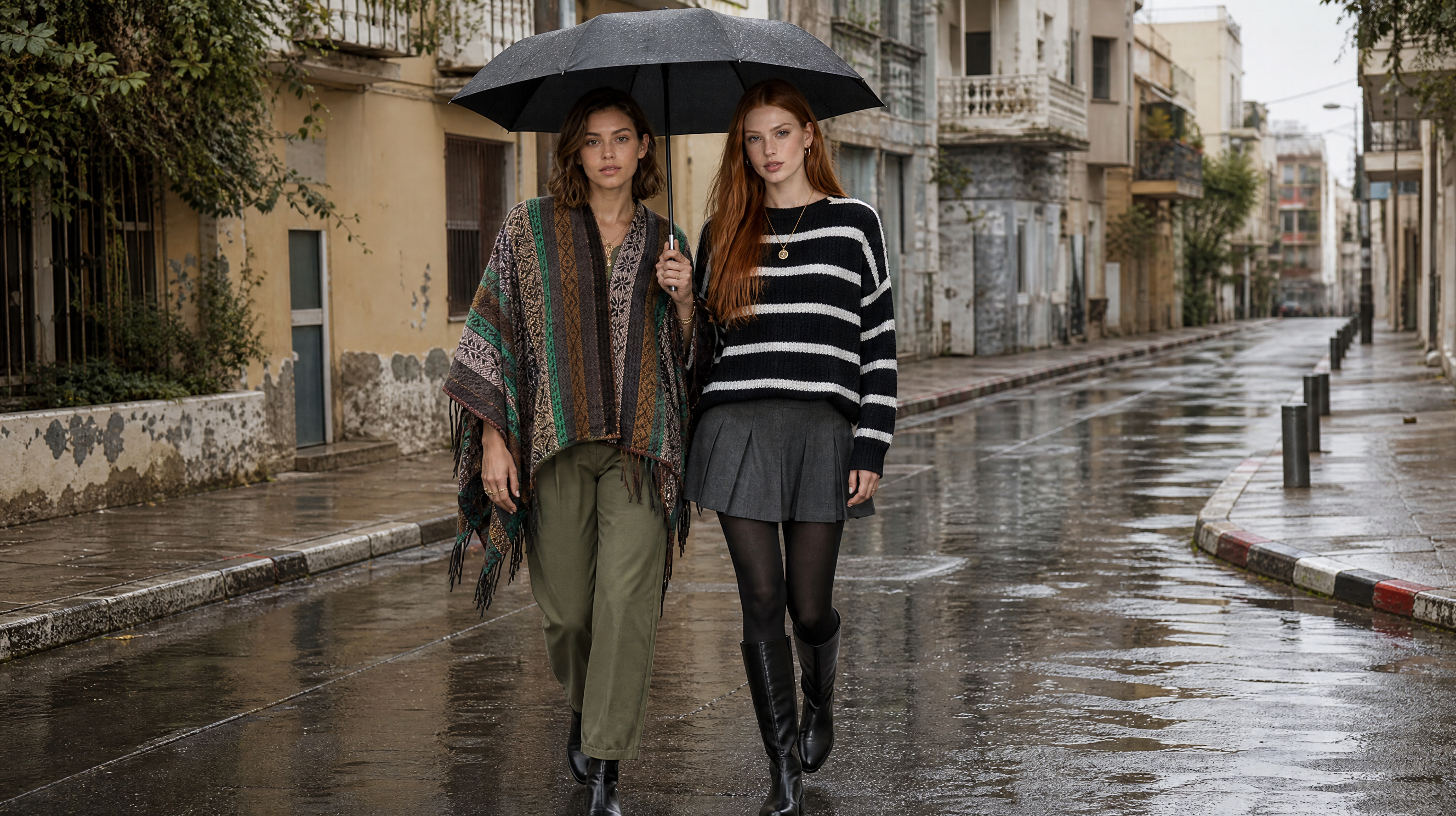
In the fast-paced world of e-commerce and digital fashion, maintaining a consistent brand image is paramount. For fashion brands, this often means ensuring that their models, whether human or virtual, present a cohesive look across all product lines and marketing materials. Flashlook's innovative AI Model Identity Lock feature is designed precisely for this purpose, allowing brands to maintain a single, recognizable virtual model across countless product shots and campaigns.
This guide will walk you through the process of leveraging AI Model Identity Lock to create a 'character bible' for your virtual models, ensuring every SKU benefits from consistent AI fashion model representation. Say goodbye to variations in model appearance and hello to impeccable catalog consistency.
Why AI Model Identity Lock is a Game-Changer for Fashion Brands
Imagine launching a new collection with hundreds of SKUs. Each product needs to be photographed, and ideally, presented by the same model to build brand recognition and a professional aesthetic. Traditionally, this meant booking a model for extended periods, managing their schedule, and hoping for consistent poses and expressions across all shoots. With AI, these challenges are amplified if not managed correctly, as generating a new image often means a slightly different face or body.
AI Model Identity Lock solves this by creating a unique digital blueprint of your chosen virtual model. This blueprint, or 'character bible,' ensures that the model's facial features, body type, and even subtle nuances remain identical, no matter how many new garments they showcase or how many different scenes they appear in. This level of control is invaluable for maintaining brand integrity and streamlining your production workflow.
Benefits of Consistent AI Fashion Models:
- Enhanced Brand Recognition: Customers associate a consistent model with your brand, strengthening recognition.
- Professional Catalog Appearance: A uniform look across your product catalog signals professionalism and attention to detail.
- Reduced Production Time & Cost: Eliminate the need for multiple model bookings or extensive post-production to unify model appearances.
- Scalability: Easily expand your product lines without worrying about finding new models or maintaining visual continuity.
- Streamlined Workflow: Integrate consistent models directly into your Atelier shoots.
Step-by-Step Guide: Locking Your AI Model's Identity
Implementing AI Model Identity Lock with Flashlook is a straightforward process designed to integrate seamlessly into your existing workflow. Here's how to do it:
Step 1: Navigate to My Models or a Lookbook
Your journey begins by selecting the virtual model whose identity you wish to lock. You can do this from two primary locations within the Flashlook platform:
- From 'My Models': If you've previously created or saved models, you can access them directly via the My Models section. This is ideal for managing your established roster of virtual talent.
- From a Lookbook: When working on a specific lookbook project, you might identify a model whose appearance you wish to preserve for future shoots. The identity lock feature can be initiated directly from your lookbook.
Step 2: Initiate Identity Lock
Once you've selected your desired model, look for the 'Identity Lock' option. This feature is designed to capture the unique characteristics of your chosen virtual model and create a comprehensive reference kit.
Activating Identity Lock initiates the creation of a 'character bible' for that specific model. This bible is a collection of detailed references that define every aspect of their appearance, from facial structure to body proportions. Think of it as a digital DNA for your virtual model.
Step 3: Understand the Credit System and Pack Sizes
Creating an Identity Lock is a specialized process that involves significant computational resources to generate the detailed character bible and reference kit. Therefore, credits apply for this feature. Flashlook offers various pack sizes for Identity Lock, allowing you to choose the option that best suits your project's scope and budget. These packs determine the extent and detail of the reference kit generated.
Step 4: Monitor the Generation Status
After initiating the Identity Lock, the system will begin processing your request. You'll typically see a status indicator that progresses through different stages:
- Draft: Your request has been received and is awaiting processing.
- Generating: The system is actively building the character bible and reference kit for your model. This stage involves complex AI computations.
- Ready: The Identity Lock process is complete, and your model's character bible is ready for use.
Once the status shows 'Ready,' your model's identity is successfully locked and available for consistent use across your projects.
Step 5: Attaching Identity References in Atelier
With your AI model's identity locked, the next crucial step is to apply this consistency to your actual product shoots. This is done within Flashlook's Atelier, our creative workspace where you generate your fashion photography.
When setting up a new shoot in Atelier, you will have the option to attach the identity references from your newly created character bible. By doing so, you instruct the AI to use the exact facial features and body shape of your locked model for every image generated in that shoot. This ensures that regardless of the garment, pose, or background, your virtual model remains instantly recognizable.
This seamless integration means you can generate hundreds, even thousands, of unique product images, all featuring the same consistent AI fashion model. It's an unprecedented level of control and efficiency for fashion brands looking to scale their visual content production.
Achieving Unmatched Catalog Consistency
The power of AI Model Identity Lock extends beyond single shoots. Its true value lies in enabling unparalleled catalog consistency across your entire product range. Imagine a customer browsing your e-commerce store, seeing the same familiar face and body presenting every item from dresses to accessories. This creates a cohesive and trustworthy brand experience, enhancing customer confidence and potentially boosting conversion rates.
Furthermore, this feature is a cornerstone for building a strong visual brand identity. By consistently featuring the same virtual models, you create a visual language that is unique to your brand, making your products instantly recognizable in a crowded market. It's a strategic advantage in the highly competitive fashion industry.
Conclusion
Flashlook's AI Model Identity Lock is more than just a feature; it's a fundamental tool for modern fashion photography. By enabling brands to lock the identity of their virtual models, it ensures consistent AI fashion model representation, builds a robust character bible, and ultimately drives superior catalog consistency. Embrace this technology to elevate your brand's visual storytelling and streamline your content creation process. Explore how it works and transform your fashion photography today.
FAQ
What is AI Model Identity Lock?
AI Model Identity Lock is a Flashlook feature that creates a unique digital blueprint, or 'character bible,' of a chosen virtual model. This ensures the model's facial features, body type, and overall appearance remain consistent across all generated images, regardless of the garment or scene.
Why is consistent AI fashion model important for my brand?
Consistent AI fashion models enhance brand recognition, create a professional and cohesive catalog appearance, reduce production time and costs, and allow for scalable content creation. It ensures your brand maintains a uniform visual identity across all product lines.
How do I initiate an Identity Lock for a virtual model?
You can initiate an Identity Lock from either the 'My Models' section or directly from a lookbook within Flashlook. Select the desired model and activate the 'Identity Lock' option to begin creating their character bible and reference kit.
Are there costs associated with using AI Model Identity Lock?
Yes, credits apply for using the Identity Lock feature, as it involves significant computational resources. Flashlook offers various pack sizes for Identity Lock, allowing you to choose an option that fits your project's scope and budget.
How do I use a locked model in my product shoots?
Once your model's identity is locked and its status is 'Ready,' you can attach these identity references in Flashlook's Atelier when setting up a new shoot. This instructs the AI to use the exact locked model for all images generated in that particular shoot, ensuring catalog consistency.
Consistent AI fashion models for catalog and UGC. Open Studio · Browse AI Fashion models