 FLASHLOOK.AI
From iPhone to On-Model Catalog: A Step-by-Step Flashlook Guide
Discover how to transform simple iPhone product photos into professional, on-model catalog stills using Flashlook's AI platform. Learn best practices for phone photography and seamless integration into your e-commerce workflow.
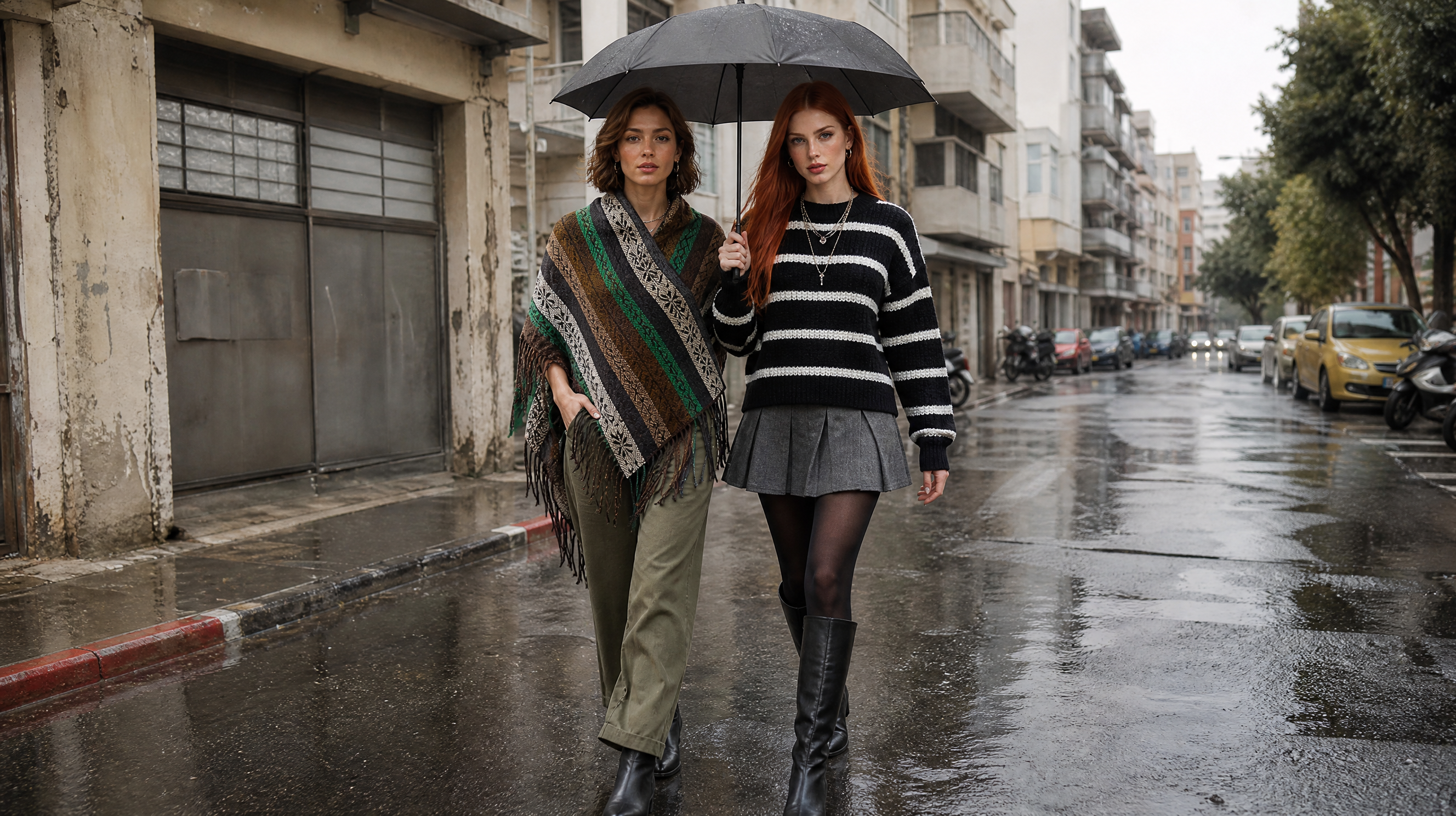
In today's fast-paced e-commerce world, high-quality product photography is non-negotiable. Yet, achieving those polished, on-model shots can be a significant hurdle for many brands, often requiring expensive equipment, studio time, and professional models. What if you could bridge the gap between a quick snap on your iPhone and a stunning catalog image, complete with a virtual model? Flashlook makes this not just possible, but incredibly simple.
This guide will walk you through the process of taking everyday iPhone product photos and transforming them into professional, on-model catalog stills using Flashlook's innovative AI platform. Get ready to elevate your product pages and advertising campaigns without the traditional overhead.
The Power of Your Pocket: iPhone Photography Basics for Flashlook
Before diving into the AI magic, let's refine your initial product capture. While Flashlook's AI is powerful, starting with a good foundation always yields the best results. The goal is to provide the AI with a clear, well-defined image of your product.
1. Lighting is Key
Natural light is your best friend when shooting with an iPhone. Position your product near a window, but avoid direct harsh sunlight, which can create strong shadows and overexposure. Overcast days or shaded areas outdoors often provide soft, even lighting that's ideal. If natural light isn't an option, a well-lit room with multiple light sources can work, but try to minimize strong, single-point shadows.
2. Clear Product Silhouette
Flashlook's AI needs to understand the shape and form of your product. Ensure there's a clear distinction between your product and its background. For clothing, this means laying it flat, hanging it neatly, or even holding it up against a plain wall. Avoid busy backgrounds that can make it difficult for the AI to 'cut out' your item.
3. Angles and Presentation
Flashlook is incredibly versatile, accepting various product presentations. Here are some effective angles and methods for iPhone product photography:
- Flat Lays: Perfect for apparel, accessories, and home goods. Lay your item flat on a clean, neutral surface. Ensure it's smoothed out and presented attractively. Shoot directly from above, making sure the entire product is in frame.
- Hanger Shots: For garments, a simple hanger shot against a plain wall can work wonders. Ensure the hanger isn't distracting and the garment hangs naturally. Avoid wrinkles.
- Simple Poses (No Model): If you're photographing an item like a handbag or shoes, you can place it in a natural position on a surface. The key is to show its form clearly.
- Avoid Heavy Shadows: While some natural shadows can add depth, heavy, dark shadows that obscure parts of your product should be avoided. They can confuse the AI and lead to less accurate renderings.
4. High Resolution and Focus
Always use your iPhone's main camera (not the selfie camera) for the highest quality. Tap on your product on the screen to ensure it's in sharp focus. Modern iPhones capture excellent detail, which gives the AI more information to work with.
The Flashlook Transformation: Your Step-by-Step Guide
Once you have your well-shot iPhone product photos, it's time to bring them into Flashlook's creative atelier.
Step 1: Upload Your Product Images
Navigate to the Flashlook platform and access the 'Atelier' section. Here, you'll upload your iPhone product photos. Flashlook is designed to be user-friendly, allowing for easy drag-and-drop or selection from your device. Remember, Flashlook accepts flat lays, hanger shots, and general phone photos - so don't worry if your initial shot isn't a perfect studio setup.
Step 2: Select Your Virtual Model
This is where the magic begins. Flashlook offers a diverse range of virtual models. Browse through the options and select the model that best represents your brand's aesthetic and target audience. Consider factors like ethnicity, body type, and overall style. The right model can significantly enhance your product's appeal.
Step 3: Choose Your Scene: Studio or Location
Flashlook provides an extensive library of scenes, allowing you to place your product in various environments. Do you envision a clean, minimalist studio shot for a classic product page? Or perhaps an editorial-style shot in an urban environment or a natural landscape for a social media campaign? Select the scene that aligns with your marketing goals. This flexibility allows you to generate images suitable for both product detail pages (PDPs) and broader advertising.
Step 4: Generate Your On-Model Stills
With your product uploaded, model selected, and scene chosen, you're ready to generate! Flashlook's AI will process your input, seamlessly integrating your product onto the virtual model within the chosen environment. The platform is engineered to produce high-quality, realistic on-model photography that maintains product integrity.
Step 5: Review and Refine (Optional)
Flashlook's initial generations are often ready for use. However, you might have options for minor adjustments or generating variations if available within the platform. This iterative process ensures you achieve the perfect image for your needs. The goal is to create output that is on-model photography suitable for PDP and ads, consistently meeting your brand's quality standards.
Why Flashlook is a Game-Changer for E-commerce
Using Flashlook to transform your iPhone photos into professional on-model content offers numerous advantages:
- Cost-Effective: Significantly reduces the need for expensive photoshoots, models, and studio rentals. Learn more about how Flashlook works and its benefits on our how it works page.
- Time-Saving: Generate high-quality images in minutes, not days or weeks.
- Scalability: Easily create a vast library of on-model content for new products or seasonal campaigns without logistical hurdles.
- Consistency: Maintain a consistent brand image across all your product photography, regardless of the initial input quality (within reason, of course!).
- Versatility: Experiment with different models, poses, and backgrounds to find the perfect look for every product and marketing channel.
- Sustainability: Reduces the environmental impact associated with traditional photoshoots.
Conclusion
The journey from an iPhone snap to a captivating on-model catalog image has never been easier or more accessible. By following these simple steps and leveraging Flashlook's advanced AI capabilities, you can revolutionize your e-commerce product photography. Empower your brand with stunning visuals, drive engagement, and elevate your online presence - all starting with the device in your pocket. Check out our pricing to see how Flashlook can fit into your budget.
FAQ
Can I really use just my iPhone for product photos with Flashlook?
Absolutely! Flashlook is designed to accept product photos taken with your iPhone, including flat lays, hanger shots, and simple product shots. The key is to ensure good lighting and a clear product silhouette for the best AI generation results.
What kind of product photos work best from an iPhone?
Photos with good, even lighting (natural light is often best), a clear view of the product, and minimal distracting backgrounds or heavy shadows work best. Flat lays and hanger shots are excellent starting points for apparel and accessories.
How does Flashlook turn a flat lay into an on-model photo?
Flashlook's advanced AI analyzes the product image, understands its shape and texture, and then digitally drapes or places it onto a selected virtual model within a chosen scene. This creates a realistic, on-model representation from your original flat lay.
Do I need any special photography skills to use Flashlook?
No, you don't need professional photography skills. While basic knowledge of good lighting and clear framing helps, Flashlook's AI is powerful enough to work with standard phone product photography, making professional-looking results accessible to everyone.
What kind of output quality can I expect for my e-commerce catalog?
Flashlook generates high-resolution, on-model photography suitable for product detail pages (PDPs), social media ads, and digital lookbooks. The output is designed to meet the quality standards required for professional e-commerce catalogs.
Can I choose different models and backgrounds for my products?
Yes, Flashlook offers a diverse selection of virtual models and an extensive library of studio and location scenes. This allows you to customize the look and feel of your on-model photos to match your brand's aesthetic and marketing campaign needs.
Consistent AI fashion models for catalog and UGC. Open Studio · Browse AI Fashion models