 FLASHLOOK.AI
Complete the look: style your product with a real matching piece
Shooting a top or a bottom? Add a matching piece from our 515-item wardrobe bank or your own products - pick it yourself, or let the stylist pick for 5 credits.
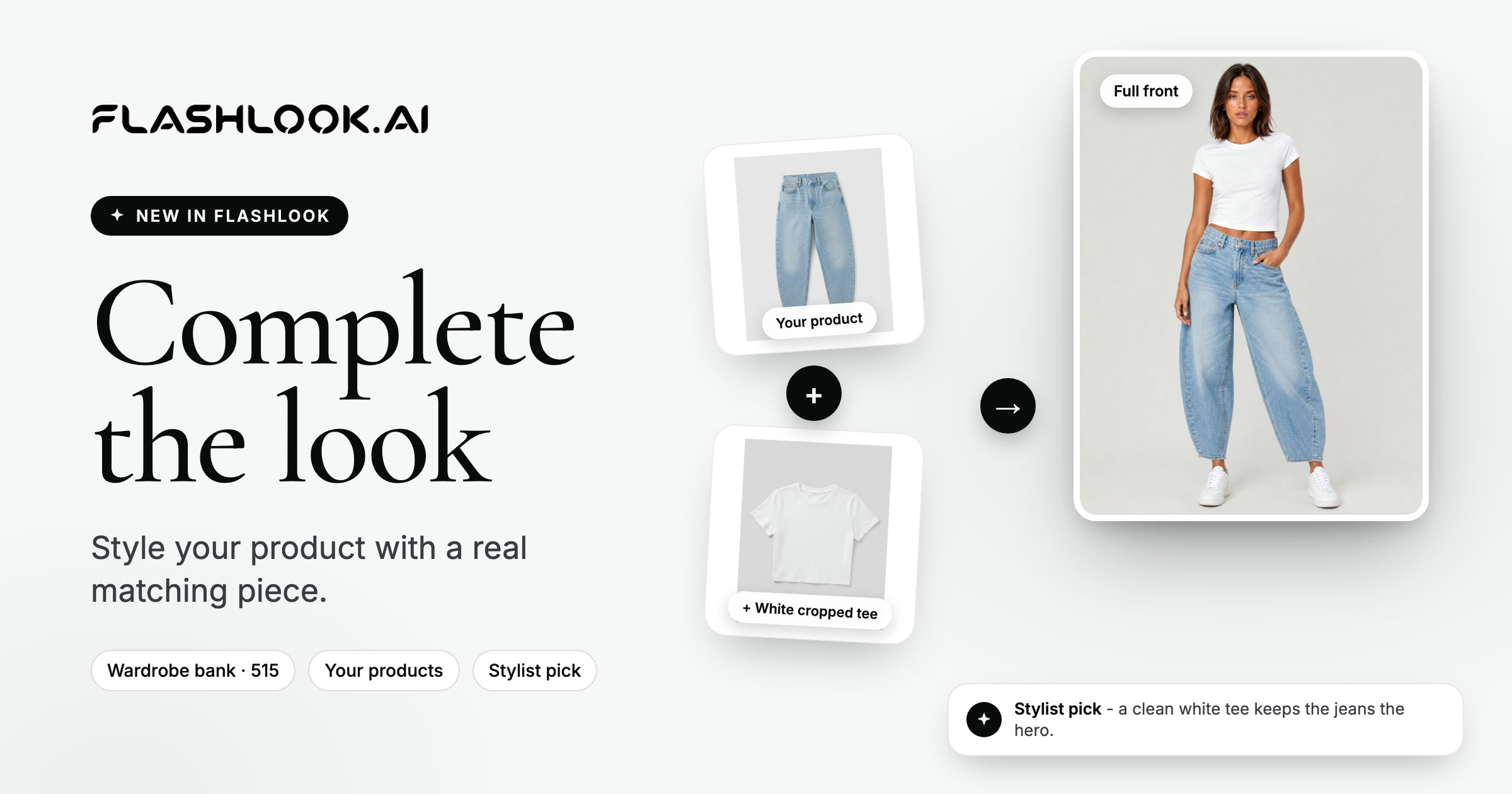
You shoot a pair of jeans. The model needs a top. If you don't choose one, the AI does - and an invented top can steal the attention, clash with the color, or look different in every shot.
Complete the look fixes that. When you shoot a top or a bottom, you can now add a real matching piece - pick it yourself from our wardrobe bank or your own products, or let the stylist pick for you. Every shot then wears the same full outfit, and your product stays the hero.
How it works
Step 1 · Pick your product
In the Atelier, choose your model and a product. If the product is a top or a bottom, a small Complete the look link appears inside the Product card. Nothing opens on its own - it's there when you want it.
Step 2 · Open the wardrobe
Click Complete the look and the wardrobe opens, already filtered for what your product needs: bottoms for a top, tops for a bottom. You can browse two sources:
- Your products - other items from your own library. Pair two of your products and one photo sells both.
- Wardrobe bank - 515 clean flat-lay basics, in women's and men's: tees, shirts, knitwear, jeans, trousers, skirts and shorts.
Narrow it down with filters for Women or Men, Tops or Bottoms, category and color.
Step 3 · Pick it yourself, or let the stylist pick
- Pick by hand - click any piece. It's free.
- Pick for me - the stylist looks at your product, checks your own library first and then the wardrobe bank, and picks the piece that fits best, with a one-line reason. It costs 5 credits.
Try the wardrobe here (this demo uses a slice of the bank):
Step 4 · Shoot
The piece now shows in the Product card next to your product - + White cropped tee, for example. Click it to swap, or the × to remove it. Hit Generate and every shot wears the full outfit.
From two flat lays to a finished shot
These are real shoots. The jeans and the polo were the products; the stylist picked the other piece from the wardrobe bank.
When you'll see it
Complete the look appears when you shoot one product on one model as a photo, and the product is:
- A top - tops, shirts, knitwear and outerwear (you'll get a bottom), or
- A bottom - jeans, trousers, skirts and shorts (you'll get a top), or
- Not categorized yet - the stylist works out what it is the first time it runs.
It doesn't appear for dresses, jumpsuits, shoes or accessories, which already make a full look or don't need a second piece. It also doesn't appear for group shoots or video.
Tips
- Pair your own products first. A top and a bottom you both sell turn one photo into two product pages - and a ready-made outfit to suggest at checkout.
- Keep the second piece quiet. Clean basics in white, black, ecru or denim keep the attention on your product.
- Let the stylist break a tie. Not sure what goes? Five credits gets you a styled pick with a reason, and you can still change it.
- Use one piece across a collection. The same jeans with every top in a drop makes the whole drop look like one campaign.
Pricing
- Picking a piece yourself is free.
- The stylist's pick costs 5 credits. If nothing fits, the credits are refunded. Asking again for the same product within 6 hours is free.
- Adding a piece to the shoot adds the small per-image cost of an extra product, the same as styling any second item. The exact price is always on the Generate button before you spend anything.
Try it
Open the Atelier →, pick a top or a bottom, and click Complete the look.
Shooting a whole drop? Collection Autopilot completes every look in the collection for you - here's how it works.
FAQ
What is Complete the look?
A Flashlook Atelier feature that adds a real matching piece to your product before you shoot - a bottom for a top, or a top for a bottom - so every shot wears the same full outfit instead of a piece the AI invents.
Where does the matching piece come from?
From your own product library, or from the Flashlook wardrobe bank: 515 flat-lay basics in women's and men's, including tees, shirts, knitwear, jeans, trousers, skirts and shorts.
How much does Complete the look cost?
Picking a piece yourself is free. The stylist's pick costs 5 credits, refunded if nothing fits, and asking again for the same product within 6 hours is free. Adding a piece also adds the usual per-image cost of an extra product, shown on the Generate button.
Which products can I complete the look for?
Tops, shirts, knitwear and outerwear (you get a bottom), and jeans, trousers, skirts and shorts (you get a top). It appears for single-product photo shoots with one model. Dresses, jumpsuits, shoes and accessories don't need it.
Can I change or remove the piece?
Yes. Click the piece in the Product card to open the wardrobe and swap it, or click the × to remove it before you generate.
Can I pair two of my own products?
Yes. The wardrobe opens on your own products when any of them fit, so one photo can show - and sell - both items.
Consistent AI fashion models for catalog and UGC. Open Studio · Browse AI Fashion models