 FLASHLOOK.AI
Mastering Link2Shoot: Your Guide to On-Model Photos from a Product URL
Transform any online product page into stunning on-model fashion photography with Flashlook's Link2Shoot. This guide walks you through the simple steps to generate professional catalog images directly from a URL.
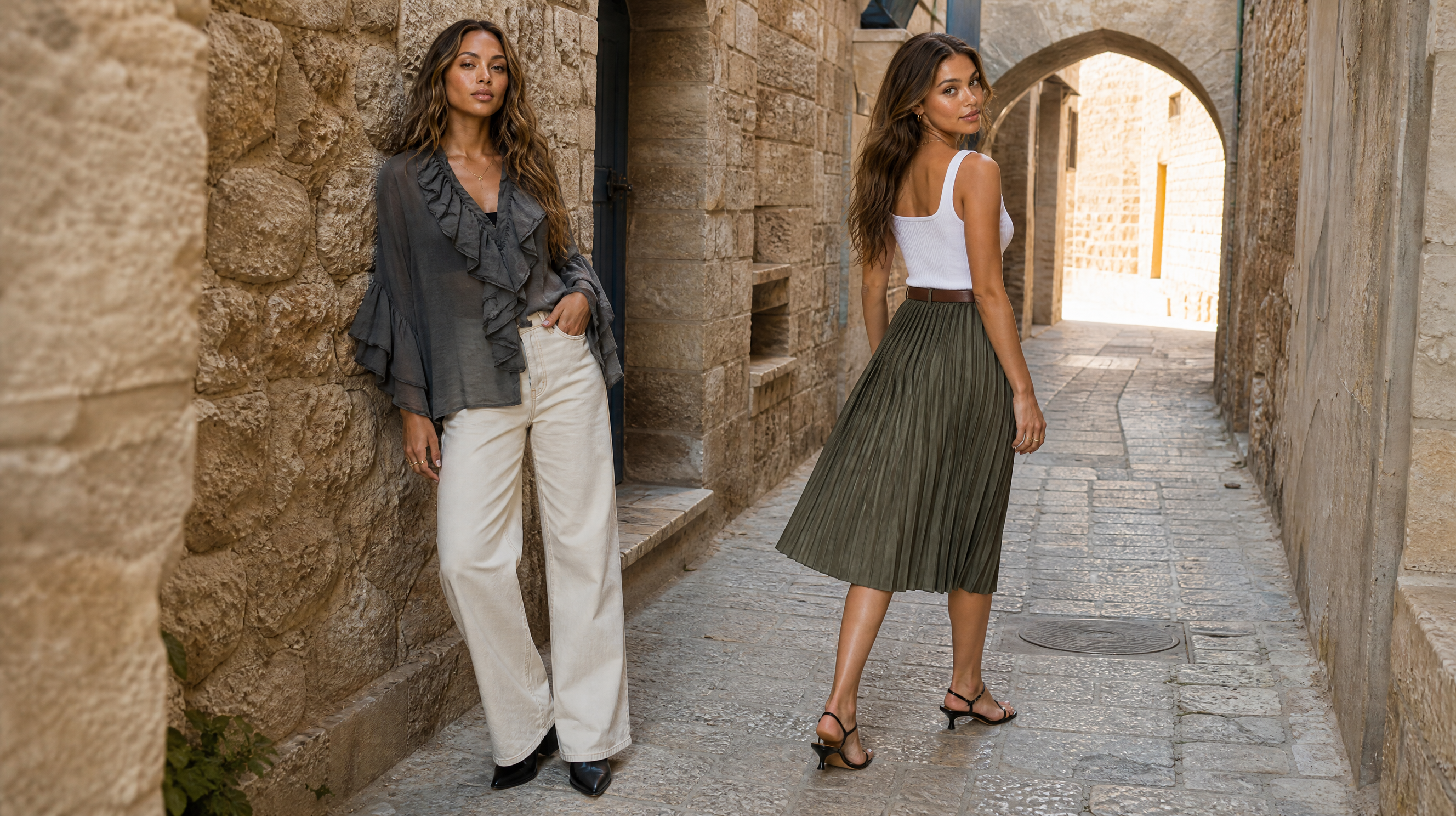
In today's fast-paced fashion e-commerce world, getting your products in front of customers quickly and beautifully is paramount. High-quality on-model photography is often a bottleneck, requiring expensive shoots, models, and studio time. What if you could bypass all that and generate professional-grade, on-model fashion photos directly from a product's online URL?
Flashlook's Link2Shoot feature makes this a reality. Designed for efficiency and creativity, Link2Shoot allows brands, retailers, and designers to instantly create captivating product imagery by simply pasting a web link. This guide will walk you through the seamless process, demonstrating how to leverage a Link2Shoot product URL to revolutionize your content creation.
What is Link2Shoot and Why Does it Matter?
Link2Shoot is an innovative tool within the Flashlook platform that automates the initial steps of creating on-model product photography. Instead of manually uploading product images, you provide a URL to an existing product page, and Flashlook's AI takes care of the rest. It intelligently scrapes the primary product image from the page, then uses advanced AI to place that garment onto a virtual model, generating a clean, professional studio shot.
This capability is a game-changer for several reasons:
- Speed: Go from product link to on-model shoot in minutes, not days or weeks.
- Cost-Effectiveness: Eliminate the need for physical samples, models, photographers, and studio rentals.
- Consistency: Maintain a uniform aesthetic across all your product imagery.
- Scalability: Generate hundreds of on-model shots with ease, perfect for large catalogs or new collections.
Whether you're launching a new collection, updating your e-commerce site, or simply need a quick visual for social media, Link2Shoot provides an unparalleled solution for generating high-quality fashion content.
Step-by-Step Guide: Using Link2Shoot for On-Model Photos
Ready to transform your product links into stunning visuals? Follow these simple steps to get started with Link2Shoot.
Step 1: Navigate to the Flashlook Shoot Page
Your journey begins on the Flashlook platform. Open your web browser and go directly to the Flashlook Shoot page. You might also find the product-link entry option prominently displayed on our homepage.
Step 2: Locate the Link2Shoot Input Field
Once on the Shoot page, you'll immediately notice an input field designated for product URLs. It's usually labeled clearly, prompting you to 'Paste product URL here' or similar.
Step 3: Paste Your Product URL
This is where the magic begins. Find the product page URL for the garment you wish to photograph. This could be from your own e-commerce store, a supplier's website, or any online retailer. Copy the full URL from your browser's address bar and paste it into the Link2Shoot input field.
- Pro Tip: Ensure the URL leads directly to a product page that clearly displays the garment you want to feature. The AI works best when it can easily identify the main product image.
Step 4: Flashlook Scrapes and Processes the Image
After you paste the URL (and often press Enter or click a 'Generate' button), Flashlook's AI gets to work. It will automatically visit the provided URL, identify the primary product image, and extract it. This intelligent 'scrape product image fashion AI' process saves you the hassle of downloading and uploading images manually.
- What to Expect: You'll typically see the extracted product image appear on your screen, confirming that Flashlook has successfully identified the garment.
Step 5: Select Your Virtual Model (or Let AI Choose)
With the garment image now loaded, it's time to bring it to life on a model. Flashlook offers a diverse range of virtual models to choose from, catering to various styles, body types, and ethnicities. You'll have options to:
- Browse and Select: Explore the model gallery and pick the virtual model that best suits your brand's aesthetic and the garment's style.
- Default AI Selection: If you prefer, Flashlook can automatically select a suitable model for you, often defaulting to a clean studio white background for optimal product visibility.
Step 6: Generate Your On-Model Photo
Once you've confirmed your model selection (or accepted the default), simply click the 'Generate' or 'Shoot' button. Flashlook's advanced AI will then composite the extracted garment onto your chosen virtual model, creating a high-resolution, on-model photograph.
- Default Settings: By default, Link2Shoot generates images on a clean studio white background, ideal for e-commerce product listings and catalog photos.
Step 7: Review, Refine, and Download
Within moments, your brand-new on-model product photo will be ready. Review the generated image. If you're a signed-in user with credits, you can often make further refinements or generate variations. Once satisfied, you can download your image in various formats, ready for immediate use on your website, social media, or marketing materials.
Who Can Benefit from Link2Shoot?
Link2Shoot is an invaluable tool for a wide range of users in the fashion industry:
- E-commerce Stores: Rapidly update product listings with consistent, professional imagery.
- Fashion Brands: Showcase new collections quickly and affordably.
- Retailers: Easily convert a 'URL to catalog photo' for dropshipping or competitive analysis.
- Designers: Visualize garments on models before physical production.
- Marketers: Create compelling visuals for campaigns without traditional photography overhead.
Important Considerations for Link2Shoot Users
While Link2Shoot is incredibly powerful, there are a few things to keep in mind:
- Image Quality: The quality of the generated on-model shot is highly dependent on the quality of the original product image scraped from the URL. High-resolution, well-lit product images yield the best results.
- Account Status: Anonymous users often have limited access or watermarks. For full functionality and higher generation limits, consider signing up and exploring our pricing plans.
- Garment Complexity: While Flashlook's AI is advanced, extremely complex garments with intricate drapes or unusual shapes might sometimes require minor manual adjustments or a different generation approach.
Flashlook's Link2Shoot feature empowers you to transform a simple Link2Shoot product URL into a powerful visual asset. By streamlining the process of generating on-model fashion photography, it helps you save time, reduce costs, and elevate your brand's visual presence. Embrace the future of fashion imagery and start creating stunning visuals today!
FAQ
What is Link2Shoot?
Link2Shoot is a Flashlook feature that allows you to generate on-model product photos by simply pasting a product page URL. Our AI scrapes the garment image and places it on a virtual model.
How does Link2Shoot work?
You provide a product URL. Flashlook's AI then extracts the primary product image, allows you to select a virtual model, and then generates a new on-model photo of the garment on that model, typically on a clean studio white background.
Can I choose my own virtual model?
Yes, after Flashlook scrapes the product image, you will have the option to browse and select from our diverse range of virtual models to best showcase your product. Alternatively, the AI can choose a default model for you.
What kind of URLs work best with Link2Shoot?
URLs that lead directly to a product page with a clear, high-quality primary image of the garment work best. The AI needs to easily identify the product to scrape it effectively.
Do I need a paid account to use Link2Shoot?
Anonymous users may have limited access or watermarks. For full functionality, higher generation limits, and access to all features, a signed-in account with credits or a subscription plan is recommended. Please check our pricing page for details.
What are the benefits of using Link2Shoot for my business?
Link2Shoot saves significant time and cost by eliminating traditional photo shoots. It enables rapid content creation, ensures visual consistency across your catalog, and allows for quick updates to your e-commerce listings, making it ideal for fashion brands and retailers.
Consistent AI fashion models for catalog and UGC. Open Studio · Browse AI Fashion models